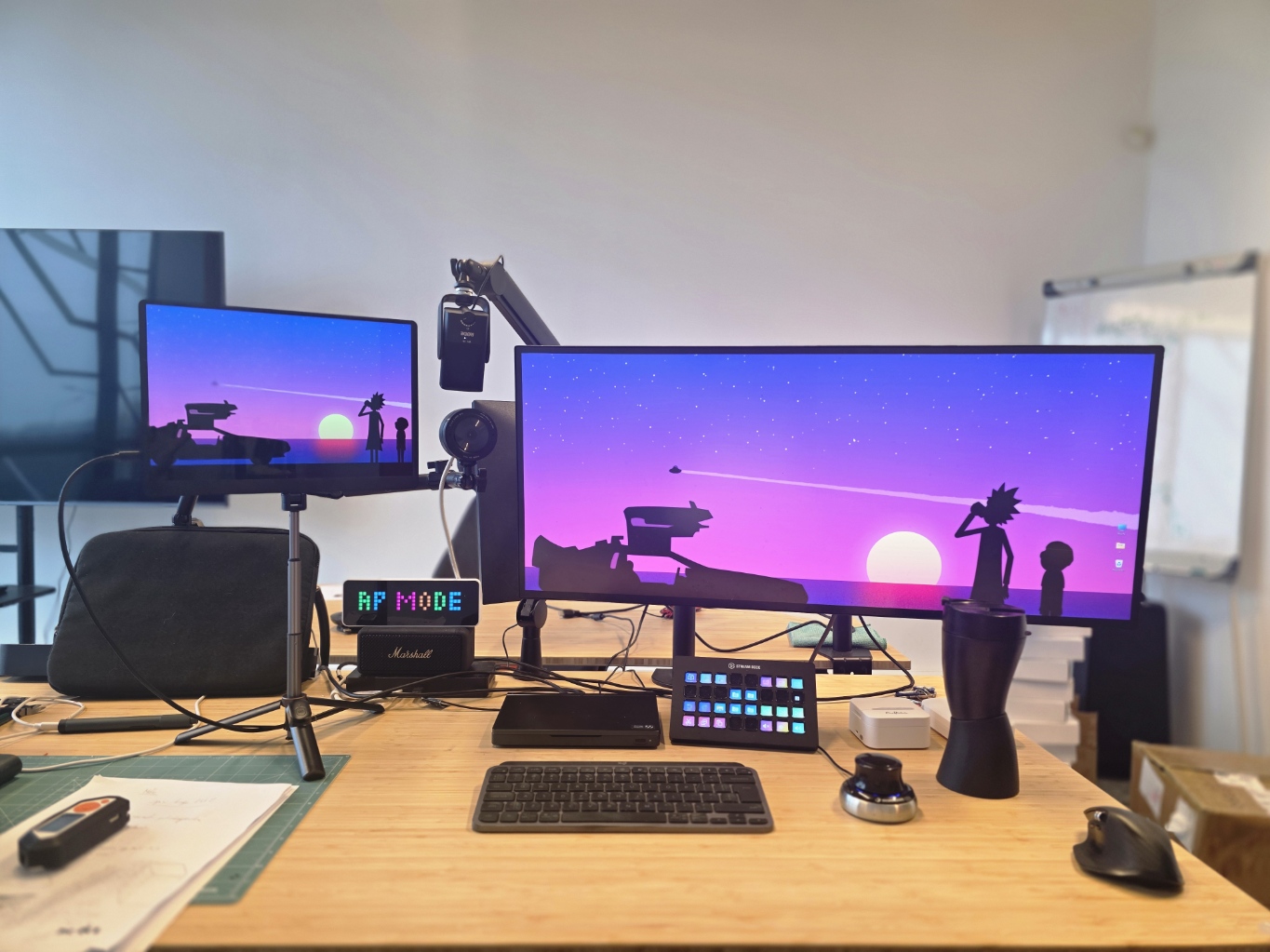
I get asked about my desk setup a lot. Usually mid-meeting when someone spots the Stream Deck glowing when i’m trying to show something on my desk, or when they hear the audio and go “wait, what mic is that?” So here we go. No affiliate links, no sponsorships. Just what’s on my desk and why.
One Rule: USB-C or Get Out
Everything on my desk connects via USB-C. Not USB-A with a dongle. Not some proprietary cable. USB-C.
Why? I use the exact same stack remotely. Pack up, move, plug into one hub, done. If a device doesn’t have USB-C, it doesn’t make it onto the desk. Simple as that. When I eventually throw away my space mouse, that will be completely true.
Elgato Stream Deck XL
I wrote about this one before. Still love it. I don’t stream. Never have. But this thing is my 80’s control panel, something between NASA mission control and a sci-fi movie prop.
Profiles for Slack (status changes, channel jumps, DND toggle), Jira (sprint board, my tasks, quick ticket creation), and Fusion 360 (tool switching, view presets, export macros). Every app on your computer suddenly gets a physical button. You stop alt-tabbing and start pressing things like you’re launching missiles.
250 EUR for buttons with screens. Objectively, a poor economic decision. I’d buy it again tomorrow (maybe newer version 😉 )
Btw. I’ve cooked a whole article only about Stream Deck, go ahead and take it for a spin.
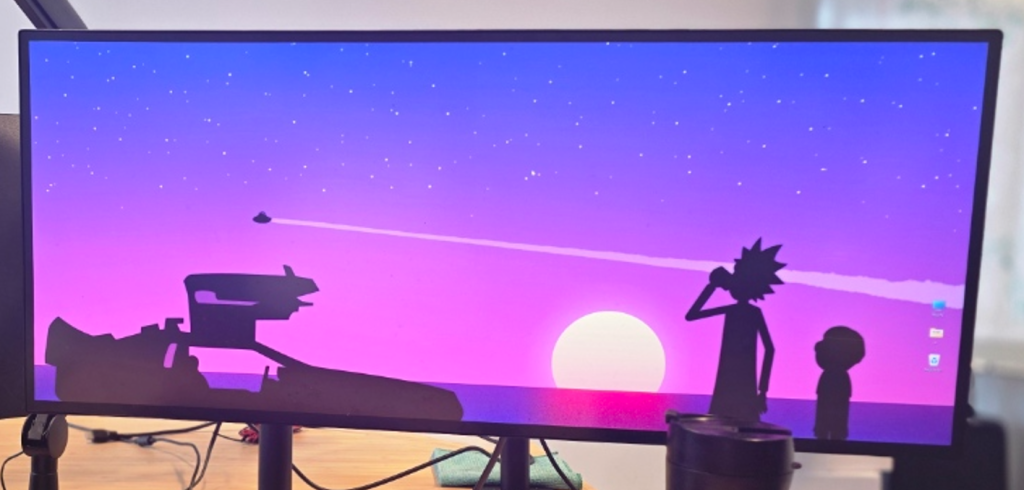
34″ LG Ultrawide
The world domination command center 😉
Went from four 34″ monitors down to one ultrawide. For a while that felt like the right call. Great image quality, on huge canvas that i work on.
But with AI tools eating more and more of my workflow, even 34 inches is starting to feel tight. Chat interface, code editor, browser with docs, Fusion 360 all at once? That’s cramped. So maybe I’ll end up going back to four. AI was supposed to simplify things, not demand more screen real estate.
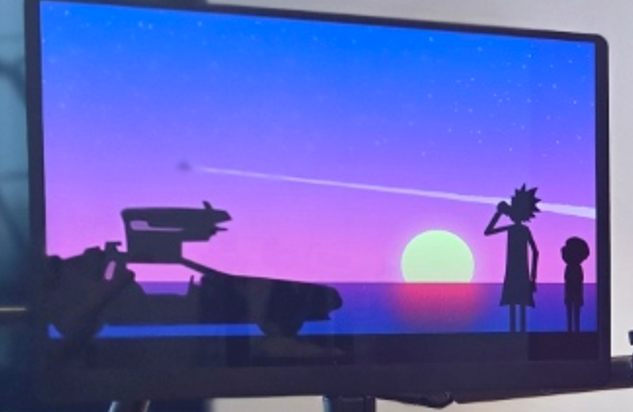
ZSUS Portable Display on a MagSafe Mini Tripod
This one is weird and I love it. Small portable display, mounted on a MagSafe mini tripod, right next to my webcam.
All meetings go on this screen. Teams, Google Meet, Zoom. Because it’s physically close to the camera, when I’m looking at people’s faces, I’m also looking roughly at the lens. No more “is this person looking at me or at their second monitor?” problem. When I’m presenting, I can still see the room, the faces, the reactions.
I like to see people I talk to. Sounds basic, right? But most remote workers optimize for their own screen layout and forget about eye contact. This setup fixes that for about a hundred bucks and a tripod.
Rode NT-USB + Razer Kiyo Pro
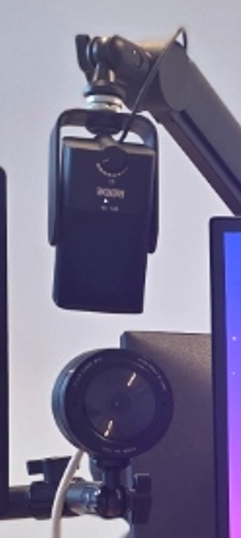
My mic and camera combo. Six years. In tech that’s a geological era.
The Rode makes people ask “are you in a studio?” Nope. I’m in a room with a 3D printer and a pile of half-finished electronics projects. The mic doesn’t care. It just sounds good. Portable, tough. I’m fairly sure it could survive being thrown across a room. Not that I’ve tested that. Not on purpose.
The Razer Kiyo Pro is the same story. Sharp image, decent low light, zero driver drama. The kind of setup you buy once and forget about. And that’s the best compliment I can give any tech: I don’t think about it.
Quality, portability, toughness = 100%.
Marshall Speaker
Not much to say. It’s a Marshall. Looks good on the desk. Plays music. Doesn’t try to be smart, doesn’t have an app that wants my location data, doesn’t need a firmware update every two weeks. Does one thing well. Sometimes that’s enough.
Fichero Label Makers (yes, two of them)
This surprises people. Label makers? On a product engineer’s desk?
When you work with electronics (prototypes, dev boards, cables, power supplies, modules) things get messy. The difference between a working board and a bricked one can come down to a label that says “BRICKED – DO NOT USE.” Without it you’re wasting two hours debugging a problem that isn’t a problem.
A pen would work. But I have terrible handwriting. And here’s the kicker: it’s somehow harder to find a pen on my desk than the label printer. The printer has a fixed spot. Pens are nomadic creatures. They migrate to unknown dimensions the moment you set them down.
Two label makers. Fight me.
3Dconnexion SpaceMouse
If you work with 3D (Fusion 360, SolidWorks, Blender, whatever) you either already have one or you will. Just a matter of time.
Regular mouse = 2D. SpaceMouse = six degrees of freedom. Push, pull, twist, tilt the cap, and your model rotates, pans, zooms. Left hand flies the model, right hand does the work. Give it a week for your brain to adapt. After that, going back to mouse-only 3D feels like parallel parking with oven mitts.
Lives on the left side of my keyboard. Always ready. ONE AND ONLY USB-A device, but i forgive it – i have it for 9 years 🙂
Logitech MX Master 3 + MX Keys Mini
Logitech does peripherals well. Not much to add. MX Master 3 might be the best productivity mouse out there. The scroll wheel alone is worth the price. Good ergonomics for long days, multi-device switching works, battery lasts forever.
MX Keys Mini. The “Mini” matters. I always have tons of stuff on my desk: electronics, tools, cables, label printers, SpaceMouse, Stream Deck. A full-size keyboard would take up space I can’t afford. The Mini does everything I need in a small footprint. Compact, backlit, USB-C charging. That’s it.
The Setup
Every piece of gear here earns its spot by being useful, portable, and USB-C compatible. No Instagram optimization. Just tools that stay out of the way and let me work.
My job goes from Jira tickets to Fusion 360 models to firmware debugging to stakeholder presentations. Sometimes all in the same day. The rig handles it.
Now if you’ll excuse me, I need to go label something.